iOS Built for iPhone

Know what’s in
your meal.

Photograph your food and get a clear, editable estimate of calories, headline nutrients, ingredients, and portions—then correct anything the model read wrong.

How it works

Three steps to a clearer meal record.

1 Capture

Choose a meal photo

Take a photo or pick one from your library. Add optional notes when preparation, ingredients, or portion context is not visible.

2 Review

Check the estimate

See the foods Caloza detected, its assumed portions, calories, six headline nutrients, and food-quality context.

3 Adjust

Make it yours

Scale the portion, exclude a detected item, add notes, or run the estimate again when the result needs correction.

Meal breakdown

More than a calorie number.

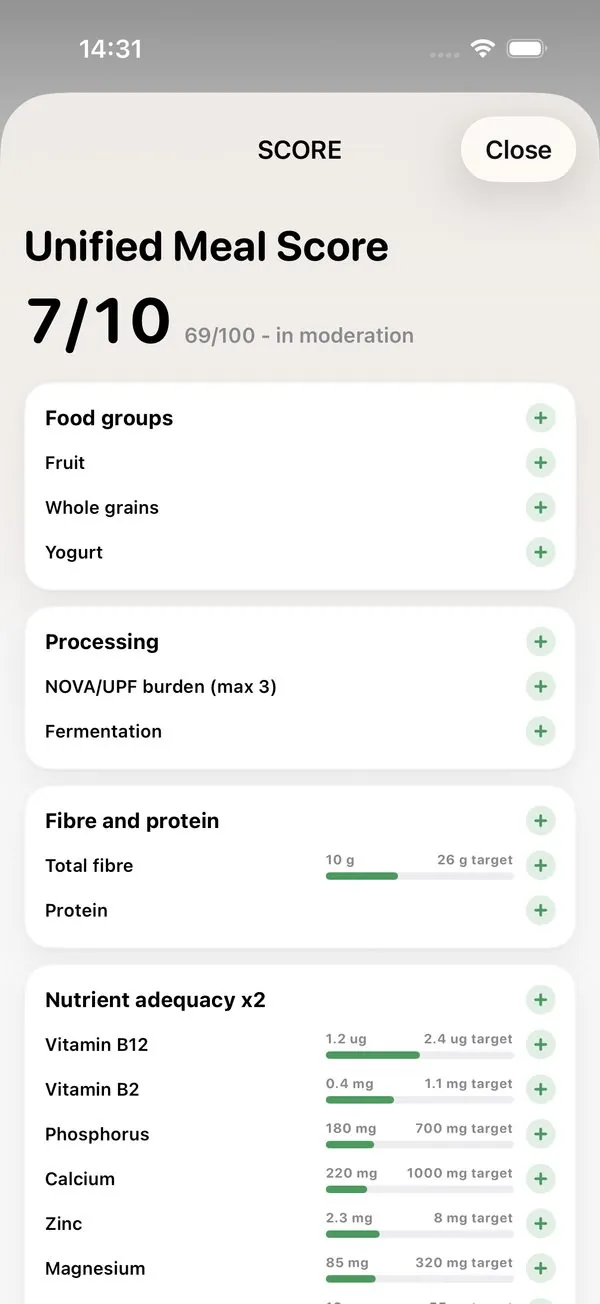
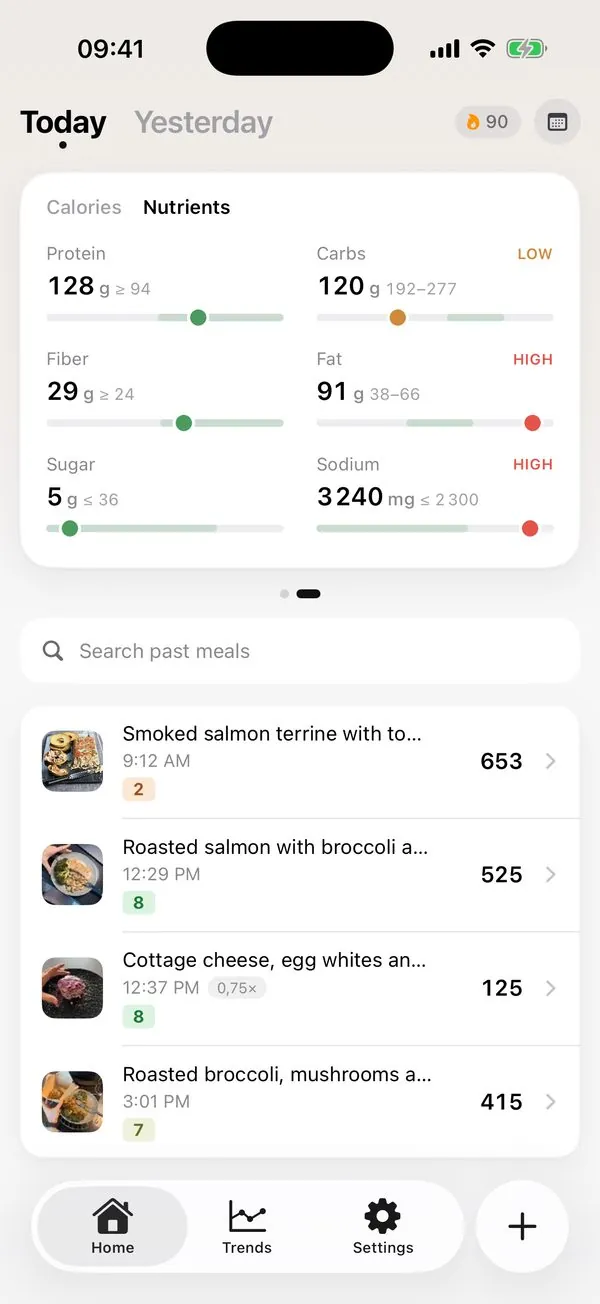
Every analyzed meal shows the photo, total calories, six headline nutrients, and a line for each detected component with its estimated gram weight.

  • Protein, carbohydrate, fat, fibre, sugar, and sodium.
  • Per-ingredient estimates, portions, and calorie contributions.
  • Food-quality signals that explain more than energy alone.
Caloza meal detail showing a photographed meal, calorie estimate, six nutrients, detected ingredients, gram weights, and portion control.
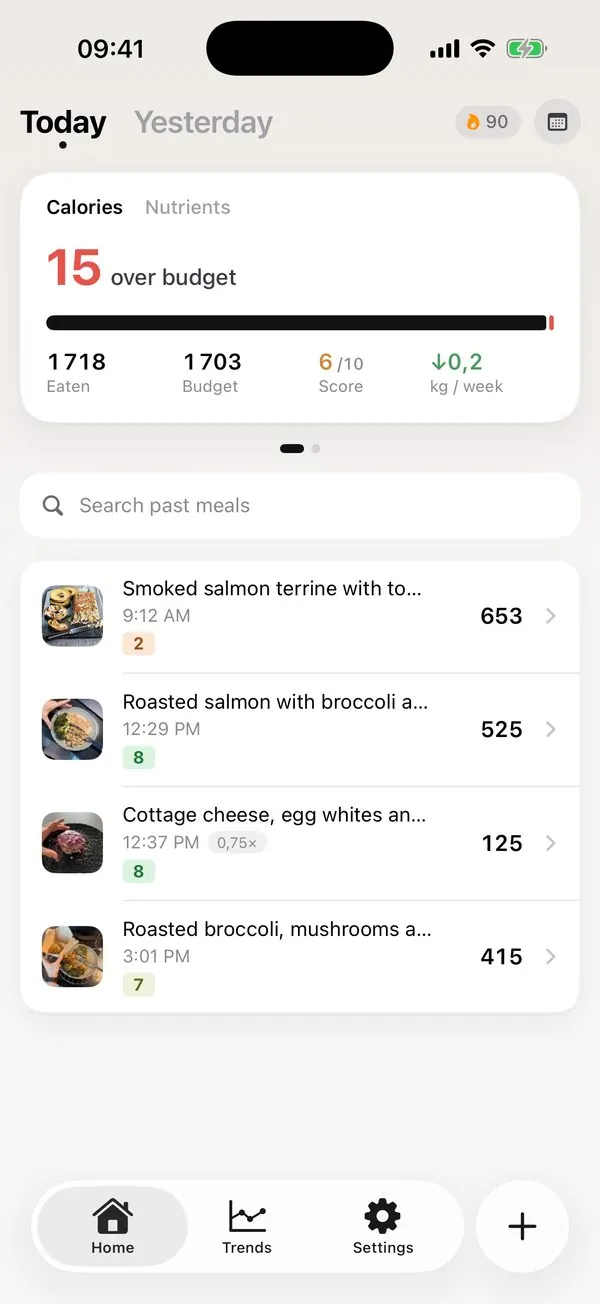
Caloza Home screen showing calories eaten, meal quality score, six nutrient totals, search, and a meal timeline.
Daily picture

Your day, without the spreadsheet.

Home keeps today’s calories, headline nutrients, quality score, and meal timeline together. Search past meals when you want to find a regular.

Energy context Optional profile goals and Apple Health Active Energy inform on-device context.
Editable history Review saved meals and update an estimate when the original needs work.
Trends & history

See patterns over time.

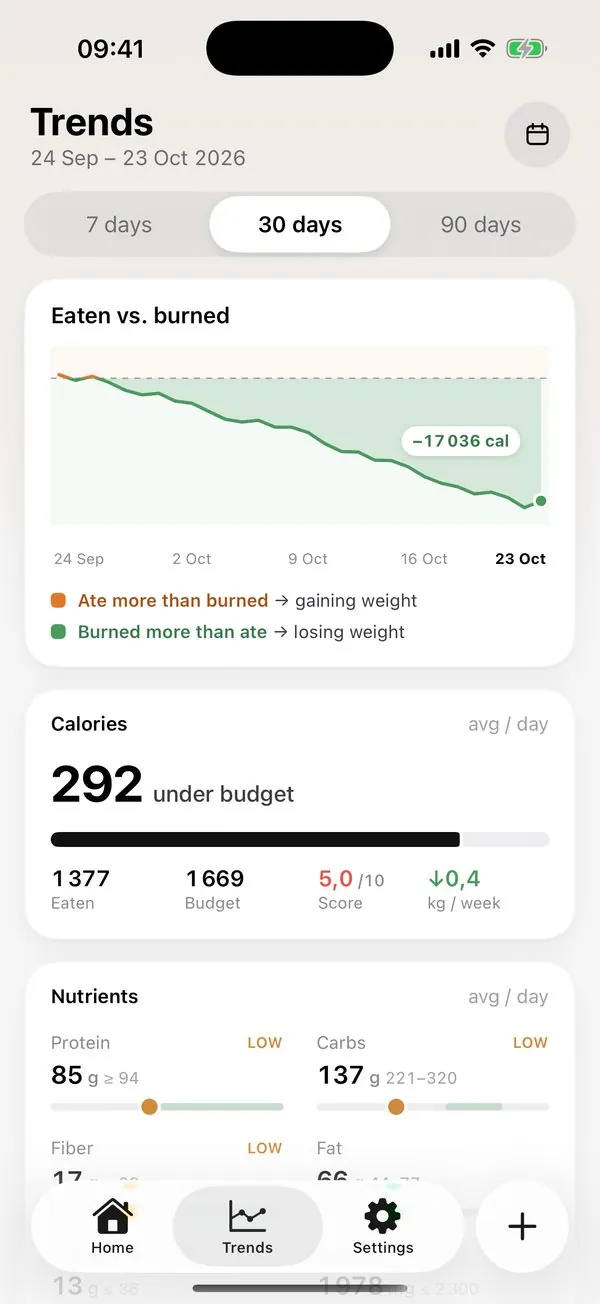
Move beyond a single day with 7-, 30-, and 90-day nutrition views. Compare daily totals and rolling patterns without pretending that one meal defines your progress.

Caloza Trends screen showing 7-, 30-, and 90-day controls, energy balance, and daily nutrition charts.

Screens show example meal data. Features and appearance may change before release.

What an estimate means

An estimate, shown honestly.

Caloza cannot weigh your food or see every ingredient. It shows the assumptions behind the result so you can review them instead of treating an AI answer as a measurement.

6 headline nutrients: protein, carbs, fat, fibre, sugar, and sodium
Per item Detected foods get their own estimated portion and contribution
7 / 30 / 90 Day ranges help separate patterns from one-off meals
Editable Every result is a starting point—not a verdict or medical advice
Caloza AI consent screen explaining what meal data is shared, where it goes, why it is used, and how it is protected.
AI & privacy

You choose before meal data leaves your iPhone.

Before the first AI analysis, Caloza asks permission to send the selected meal photo and optional notes through its secure server to OpenRouter and Google Gemini solely to generate the estimate.

  • Raw meal photos and prompts are not retained on Caloza’s server.
  • A completed response may be held for up to 24 hours to make retries safe.
  • Apple Health data is not sent to Caloza’s server or the AI providers.
  • No advertising trackers, cross-app tracking, or data sale.
Caloza Pro

Monthly or annual. The same core features.

Caloza requires an active subscription. Apple shows the localized price, period, and any eligible introductory offer before purchase.

AI analysis is not unlimited. Current service controls allow up to 100 standard three-pass meal analyses per calendar month, subject to the provider-cost, rate, safety, and availability limits described in the Terms.
  • AI photo meal analysis within the disclosed monthly allowance
  • Calories, six headline nutrients, ingredients, and portions
  • Meal-quality context with editable estimates
  • Searchable history and 7-, 30-, and 90-day trends
  • Restore Purchases from the subscription screen
FAQ

Questions, answered plainly.

How does photo analysis work?

After you give explicit permission and submit a meal, Caloza sends the selected photo and optional notes through its server to OpenRouter and Google Gemini. The AI identifies likely foods and portions and returns a nutrition estimate for your review.

How accurate are meal estimates?

They are estimates, not measurements. A photo cannot reliably reveal cooking oil, hidden ingredients, exact recipes, or precise weights. Review the detected items and portions, and do not use Caloza for allergy safety, medical treatment, or urgent decisions.

Can I correct an estimate?

Yes. You can scale the meal portion, exclude a detected item, add notes, or run the estimate again. Caloza keeps the AI result editable because the photo may be incomplete or wrong.

Is a subscription required?

Yes. Caloza Pro is required to use the app. Monthly and annual plans unlock the same core features, with localized pricing and any eligible trial shown by Apple before purchase. The current monthly AI allowance is described above and in the Terms.

How do I restore a purchase?

On the app’s subscription screen, tap Restore Purchases while signed in to the Apple Account used for the purchase. Restoration requires a network connection plus verification by Apple and Caloza’s subscription server.

Is Caloza medical advice?

No. Caloza is a general wellness and education tool, not a medical device. Consult a qualified healthcare professional before making significant medical, dietary, or weight-loss decisions.

App Store release

Make each meal easier to understand.

Caloza is preparing its first public App Store release. This page will link directly to the listing when Apple makes it publicly available.